


AL Quran Kareem - Holy Quran
4.634.00 Reviews
App Specs
- Version
- 4.2
- Updated On
- License
- Free
- Downloads
- 1,000,000+
- Developer
- Jolt Global Apps - VPN, Ai, Keyboard & Learning
- Categories
- Events
- Platform
- Android
Screenshots

 Analysis by AppCompare
When I try a Quran app for the first time, I want a clear route to reading, not a maze of menus or pressure to build a perfect routine immediately. AL Quran Kareem - Holy Quran is a free reading app in the events category, developed by Jolt Global Apps - VPN, Ai, Keyboard & Learning. Its aim is straightforward: make the Quran available for reading and recitation on a phone. I’d approach it as a personal reading companion rather than a replacement for a printed mushaf, a teacher, or a detailed study resource.
What to expect from a phone-based Quran
The main appeal is having the text close at hand for a short reading session, whether I have a quiet moment at home or a few minutes between errands. The app has a 4.5 average from around 33,000 ratings and has been installed over a million times, so it has reached a substantial audience. That popularity can be reassuring, but it does not tell me whether its presentation will suit every reader; I’d still judge the text size, navigation, and reading comfort for myself.
Before starting, I’d also decide what I want the app to do. If I mainly want to read Arabic, I can focus on the text and keep distractions to a minimum. If I’m learning or following meaning in another language, a translation may be more useful. Listening is a different kind of session again, better suited to following a recitation or revisiting a passage by ear. Thinking about that purpose first makes the first visit feel less like browsing and more like a deliberate practice.
A calm first setup, without overcomplicating it
The app is rated for Everyone, and its current version is 4.1, with Android 7.0 as the minimum operating system. It is free to install, while in-app purchases range from $0.49 to $28.99 per item. I’d begin with the free experience and only consider a purchase if I encounter something I personally want and understand what it unlocks. That keeps the decision simple instead of treating an optional purchase as a required step to begin reading.
Once it opens, I’d take a moment to check the text display and choose a comfortable font size before settling into a longer passage. If I plan to read in dim light, night mode is a practical adjustment rather than a decorative extra. I’d also look for the translation that matches my reading needs instead of assuming the first language shown is the best fit. A small amount of setup can prevent eye strain and avoid confusion about whether I’m looking at Arabic text or its meaning in translation.
Make the first session small and successful
For a first meaningful use, I’d choose a chapter or passage I already intend to read, open it, and spend a few minutes with the text rather than trying to explore every option at once. If I need to pause, bookmarking gives me a way to return to a place I care about. Later, I can use search when I remember a word or phrase but not where I saw it. These tools are most helpful when they support a reading habit; they do not need to turn the app into a complicated study system.
A realistic routine might be opening the app after breakfast, reading a short portion, then bookmarking the point where I stopped before putting my phone away. On another day, I could listen during a commute instead of reading while moving around. I’d avoid trying to read from a screen while driving or doing anything that needs my attention. The useful part is being able to adapt the session to the moment, not squeezing spiritual practice into every spare second.
Worth Reading Before You Choose

Flipboard Shows What News Apps Must Do Beyond the Feed

Switching to Android Auto Means Rethinking Your Driving Routine

Google Calendar Makes a Crowded Week Easier to Manage

Ludo King Makes the Most of the Minutes Between Plans

Baby Panda World Brings Quick Play to Modern Phones, but Its Game Library Feels Busy

ESPN’s Live Game View Makes Following Close Games Easier
First Impressions and Interface
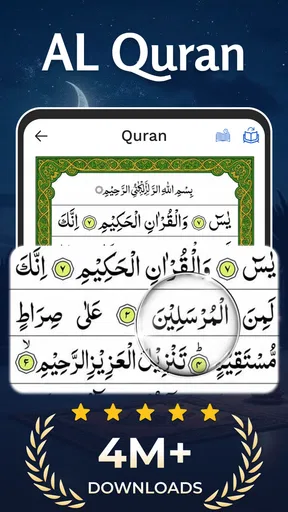
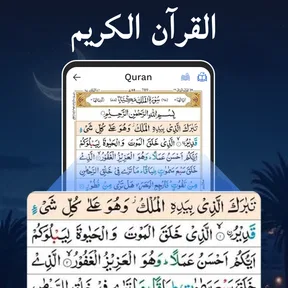
When I first opened the AL Quran Kareem - Holy Quran app, I was greeted with a clean and intuitive interface. The design is simple, yet elegant, making it easy even for non-tech-savvy folks to navigate. I appreciate the calm color palette; it’s easy on the eyes—a crucial factor considering the amount of reading involved. The main screen displays the Quran in its entirety, with easy access to chapters and verses. Everything is laid out logically, so you can jump right into your reading.
Features that Stand Out
One of the standout features of this app is its bookmarking capability. We all know how important it is to pick up right where you left off, especially with a text as extensive as the Quran. The feature allows you to mark your favorite verses or chapters, making it super easy to return to them later. Another aspect I found useful is the search function—type in a keyword or phrase, and you’re presented with a list of relevant verses. This is a lifesaver for anyone who wants to quickly find specific guidance.
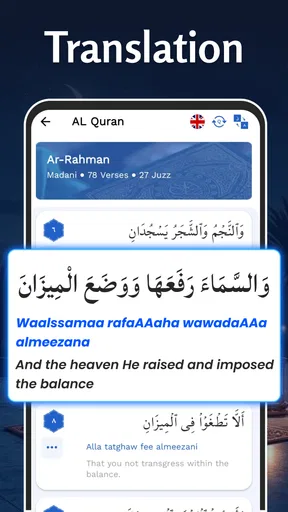
Now, let’s talk about accessibility. The app offers several language translations, which is a big plus for non-Arabic speakers. Whether you’re fluent in English, Urdu, or any other language, you can find a translation that suits your needs. This makes the app more inclusive and broadens its appeal to a global audience.
Audio and Recitation
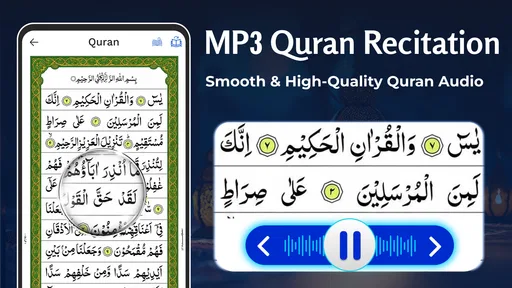
For those who prefer listening over reading, the audio recitation feature is a game changer. You can listen to various reciters, each with their unique style and tone. This is perfect for morning commutes or late-night reflections. The sound quality is crisp, and the app allows you to loop or repeat verses for better memorization. It’s like having a personal Quran tutor right in your pocket!
Customization Options
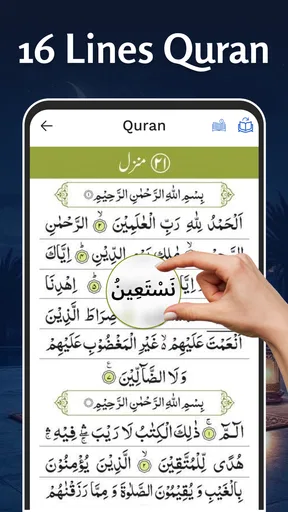
Customization is another area where this app shines. You can adjust the font size and style, which is fantastic for those who might struggle with smaller text. Night mode is available too, letting you continue your reading without straining your eyes in low-light conditions. These little tweaks make a huge difference in user experience, showing that the developers really thought about the user’s comfort.
Staying Connected and Engaged
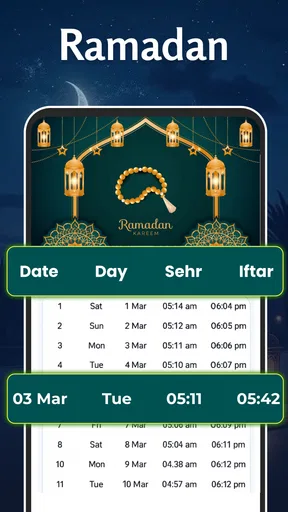
The app isn’t just about reading; it’s also a community. There’s a feature that allows you to share verses on social media or with friends and family. This is a wonderful way to spread positivity and engage in meaningful discussions with your circle. Plus, you can set daily reminders to read a verse or chapter, helping you stay consistent with your spiritual practice.
Performance and Reliability
In terms of performance, the app is smooth and responsive. I didn’t encounter any major lags or crashes, which is a relief when you’re trying to stay focused on your reading. The app runs efficiently, even on older devices, which is a testament to its well-optimized design.
Where it fits—and where I’d choose something else
Compared with a printed Quran, this app is easier to carry, search, and use for a brief reading break; a printed copy may still be preferable if I want a screen-free session or the familiar feel of a physical book. Compared with a general audio player, the app brings recitation closer to the text and offers verse-focused listening tools. A dedicated study resource or guidance from a knowledgeable teacher is the better choice when I need careful interpretation, context, or help resolving a difficult question. I would not treat a translation or a search result as a substitute for that kind of learning.
One useful habit is to use search as a way to revisit something I remember, then read the surrounding passage rather than stopping at a single matching verse. Search can save time, but a keyword match is not the same thing as understanding context. Similarly, bookmarking is most useful when I keep a modest set of meaningful stopping points; marking everything can make it harder to find the passage I actually wanted later.
Small trade-offs that matter in daily use
Audio can make a session easier when my eyes are tired, but it asks for a different kind of attention: I need a quiet enough moment to listen properly. If I’m in a noisy place, reading a few lines may work better. Repeating a verse can support memorization, though I’d use it intentionally rather than letting repetition run in the background while I’m distracted. The strongest routine is the one that fits the setting and lets me give the passage attention.
Sharing a verse can be a thoughtful way to start a conversation, but I’d check the passage and translation before sending it, especially if I’m sharing it as guidance. A compact screen can also make long sessions tiring even with adjustable text and night mode. I’d treat those settings as comfort aids, not as a guarantee that every phone display will feel like a printed page. For longer study, a larger screen or physical copy may be a better fit.
Questions I’d settle during the first few visits
If I’m unsure whether to read or listen first, I’d start with whichever feels easiest in that moment, then try the other approach on a later visit. If I’m not fluent in Arabic, translations make the app more approachable, while keeping in mind that a translation helps with meaning but is not the Arabic text itself. If I’m trying to resume a passage, I’d use a bookmark rather than relying on memory or searching again. These are simple choices, but they make the app easier to return to without turning setup into a project.
I’d also check how a feature behaves for my own routine before depending on it. For example, I would test a reminder at a convenient time and see whether it encourages reading or simply becomes another notification to dismiss. If I use audio away from home, I’d plan around whether I can listen attentively and avoid assuming that every setting is suitable for every environment. A short, focused session is a perfectly reasonable starting point; there is no need to adopt every tool at once.
Who I’d recommend it to
I’d recommend this app to someone who wants a portable way to read the Quran, revisit verses, compare available translations, or listen to recitation as part of a personal routine. It can also suit a first-time user who wants to begin with a small, low-pressure session and learn the interface gradually. Someone who values a screen-free experience, needs scholarly instruction, or prefers an extensive study workflow may be happier with a printed Quran, a teacher, or a more specialized resource instead.
Overall, the AL Quran Kareem - Holy Quran app is a robust tool for anyone looking to deepen their understanding of the Quran. It combines modern technology with traditional scripture in a way that’s accessible and engaging. Whether you’re a lifelong practitioner or someone new to the faith, this app offers something valuable for everyone. So why not give it a try and see how it fits into your daily routine?
Pros
- User-friendly interface for easy navigation.
- Audio recitation available in multiple languages.
- Bookmark feature for quick access to verses.
- Offline access to Quranic text.
- Customizable font size and theme.
Cons
- In-app ads can be distracting.
- Limited translation options.
- Audio download requires storage space.
- No night mode option for reading.
- Occasional bugs in the search function.
FAQs for AL Quran Kareem - Holy Quran
What features does AL Quran Kareem - Holy Quran offer?
AL Quran Kareem offers a variety of features including audio recitations by multiple Qaris, translation in numerous languages, and tafsir for deeper understanding. Additional features include bookmarks for easy navigation, night mode for comfortable reading, and customizable font sizes to enhance readability.
Is AL Quran Kareem - Holy Quran available offline?
Yes, AL Quran Kareem provides offline access once the Quranic texts are downloaded. This feature allows users to read and listen to the Quran without an internet connection, making it convenient for use in areas with limited or no connectivity.
How user-friendly is the interface of AL Quran Kareem - Holy Quran?
The app features an intuitive and clean interface designed for ease of use. Navigation is straightforward, with clearly labeled sections for Surahs and Juz, and a search function to quickly find specific verses. The app's design focuses on providing a seamless user experience.
Can I customize my reading experience in AL Quran Kareem - Holy Quran?
Absolutely, the app allows users to customize their reading experience by adjusting font sizes, choosing between different reciters, and enabling night mode. These customization options ensure that users can tailor the app to fit their personal preferences and reading comfort.
Is AL Quran Kareem - Holy Quran free to download and use?
AL Quran Kareem is available as a free download with core features accessible without charge. However, there may be in-app purchases or premium features available for a fee, offering additional content or enhanced functionalities to enrich the user experience.


